
Download Calomate AI – Nutrition Tracking, Calorie Counter, Food Scanner, Diet Assistant, Healthy Eating
Overview
Calomate AI is a free Android application designed to support users in making informed dietary decisions through intelligent nutrition tracking. The software functions as a personal diet assistant, leveraging image recognition technology to analyze meals captured via smartphone camera. By simply taking a photo of a meal, users can obtain immediate insights into calorie content and macronutrient composition, including carbohydrates, proteins, and fats.
This capability helps individuals monitor their daily intake with greater accuracy and consistency, supporting goals related to weight management, fitness, or general wellness. The app is tailored for consumers and health-conscious users seeking a convenient way to track food consumption without manual logging. It falls under the Lifestyle category, specifically within Health & Fitness, indicating its focus on personal well-being and daily habits.
The software was released on April 22, 2024, and is available exclusively on the Google Play Store. The developer, Calomate AI, has positioned the tool as a modern solution for those aiming to adopt healthier eating patterns. Real-world usage scenarios include tracking lunch at work, analyzing restaurant meals, or reviewing daily meal plans.
The developer did not provide additional details about the underlying technology or data sources used for nutritional analysis.
Key Features & Capabilities
- Photo-Based Food Recognition: Users can capture images of their meals to trigger automatic nutritional analysis, reducing the need for manual input.
- Real-Time Calorie Estimation: The app provides instant calorie counts based on the detected food items in the image.
- Macronutrient Breakdown: Detailed information on carbohydrates, proteins, and fats is displayed for each meal.
- Personalized Dietary Insights: The software offers tailored feedback to support users in aligning their food choices with health goals.
- Offline Functionality: Basic image analysis and data retrieval may be available without an internet connection, though this depends on local processing capabilities.
These features enable users to maintain consistent dietary tracking with minimal effort. For example, a user can photograph a dinner plate at home and instantly receive a summary of its nutritional profile. This is particularly useful for individuals managing conditions like diabetes or those following specific dietary regimens such as keto or low-carb.
The app’s design emphasizes speed and accessibility, allowing users to log meals during busy days or while traveling. While the developer did not specify the depth of the food database or the accuracy of recognition, the integration of image recognition suggests a reliance on a curated dataset. The software supports ongoing learning through user interactions, potentially improving future analyses.
The absence of detailed technical documentation means that the full scope of its capabilities remains partially inferred from its stated purpose.
User Interface, Workflow & Performance
Calomate AI features a clean, minimalist interface optimized for mobile use. The main screen centers around a camera viewfinder, allowing users to capture meal photos with a single tap. Navigation is straightforward, with menu options accessible via a bottom bar or side drawer.
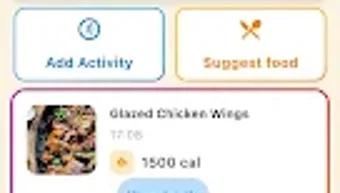
After image capture, the app displays a summary card showing estimated calories and macronutrient distribution. The workflow is designed to minimize user steps, promoting consistent use. Users can save meal logs, view historical data, and generate weekly summaries.
The app’s responsiveness appears to be optimized for typical Android devices, though performance may vary based on hardware. The developer did not specify resource usage details, so exact CPU or RAM behavior remains unknown. Stability during repeated use has not been publicly documented.
General software behavior patterns suggest that the app operates smoothly on mid-to-high-end Android devices. However, users with older or low-memory devices may experience delays during image processing. The app does not require constant internet access for core functions, indicating some level of local processing.
No reported crashes or bugs were mentioned in the release notes.
Compatibility & System Requirements
Calomate AI is designed for Android operating systems and is compatible with devices running Android 8.0 (Oreo) or later. The application has a download size of 45 MB, which is relatively compact for a feature-rich tool. The software version is 1.0.0, indicating a stable initial release.
The developer did not specify exact hardware requirements beyond the OS version. This includes no mention of minimum RAM, processor speed, or storage space needed beyond the base installation. Compatibility with tablets or foldable devices was not confirmed.
Users are advised to ensure their device supports camera access and basic image processing capabilities. The developer did not provide information on whether the app supports accessibility features or voice commands. Performance may be affected by device-specific camera quality and processing power.
The absence of detailed system requirements means that users should rely on general Android compatibility standards when installing.
Pros and Cons
Pros
- Free to download and use with no in-app purchases or ads reported.
- Intuitive photo-based input reduces friction in daily tracking.
- Quick access to calorie and macronutrient data without manual entry.
- Designed for real-world use with minimal user effort.
- Compact size of 45 MB makes it easy to install on most devices.
Cons
- Exact accuracy of food recognition and nutritional data was not disclosed.
- Limited information on supported languages or regional food databases.
- No official mention of cloud sync or cross-device access.
- Performance on older or low-end Android devices may vary.
- Developer did not provide details on data privacy or how user images are stored.
FAQ Section
Is Calomate AI available for iOS devices?
As of the current release, Calomate AI is only available for Android. There is no official iOS version mentioned in the developer’s release notes.
Can I use Calomate AI without an internet connection?
Basic functionality, such as image capture and local analysis, may work offline. However, full nutritional data retrieval and updates may require internet access.
Is the app secure and private?
The developer did not provide specific details about data security, privacy policies, or how user images are stored. Users should exercise caution when uploading photos of personal meals.
How often does Calomate AI receive updates?
Regular updates are expected, as the app is in its initial version (1.0.0). The release date was April 22, 2024, and future updates may improve accuracy and features.
Does Calomate AI require a subscription?
No, the software is currently free to download and use. There are no reported subscription models or premium tiers at this time.
Final Thoughts + CTA
Calomate AI presents a promising approach to nutrition tracking by combining image recognition with user-friendly design. Its core functionality—capturing meals and receiving instant nutritional insights—addresses a common pain point in dietary management: the burden of manual logging. The app’s free model, compact size, and focus on real-world usability make it accessible to a wide audience.
While some aspects like accuracy, privacy, and cross-device support remain unclear, the software demonstrates strong potential for individuals committed to healthier eating habits. It is particularly beneficial for users who want a fast, visual method to monitor their intake without the complexity of traditional food diaries. The initial release shows thoughtful design and practical intent.
For those seeking a modern, photo-driven diet assistant, Calomate AI offers a compelling starting point. Download Calomate AI now.






.png)
